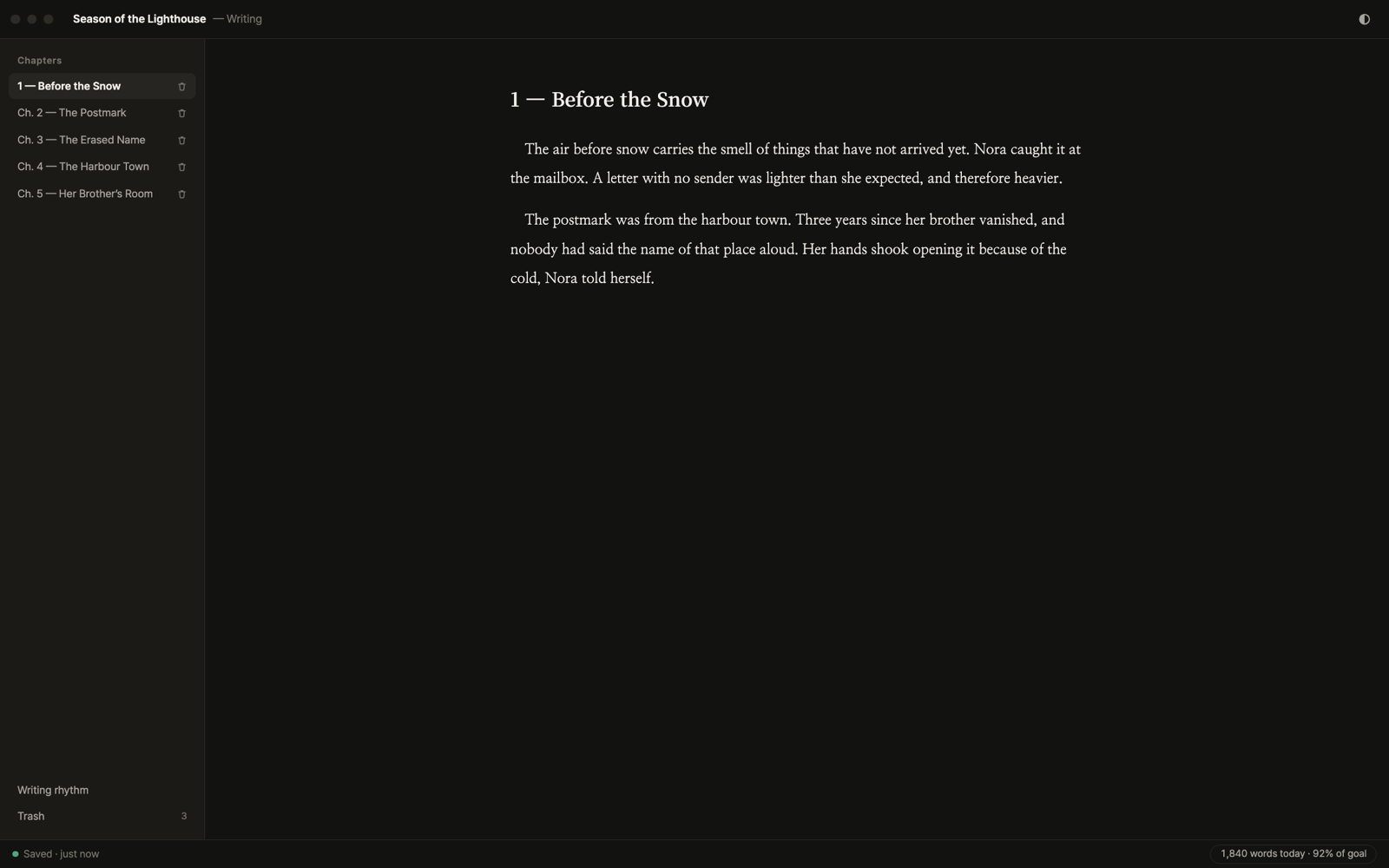
FEATURES — THE INSTRUMENTS
Instruments for
your universe.
Six instruments — none of them write instead of you. They help you see further into the story you are already writing.
In short: Frame is a local-first desktop app for novelists. An AI co-writer reads your whole manuscript and suggests the next sentence in your voice; a continuity check finds contradictions in setting and timeline; Story Map draws structure, character relations and a timeline; plot analysis induces the structure your draft actually has; and Reader Lab has eighteen virtual readers answer across seven axes. Your manuscript stays in a local database on your own disk, and the AI never trains on it.
GROUP 01 — WORKING WITH AI
An AI that has read the manuscript.
Not a chatbot bolted onto a text box. Every instrument here begins by reading what you have already written — and tells you what it read.
01 — CO-WRITER
A co-writer that has read everything.
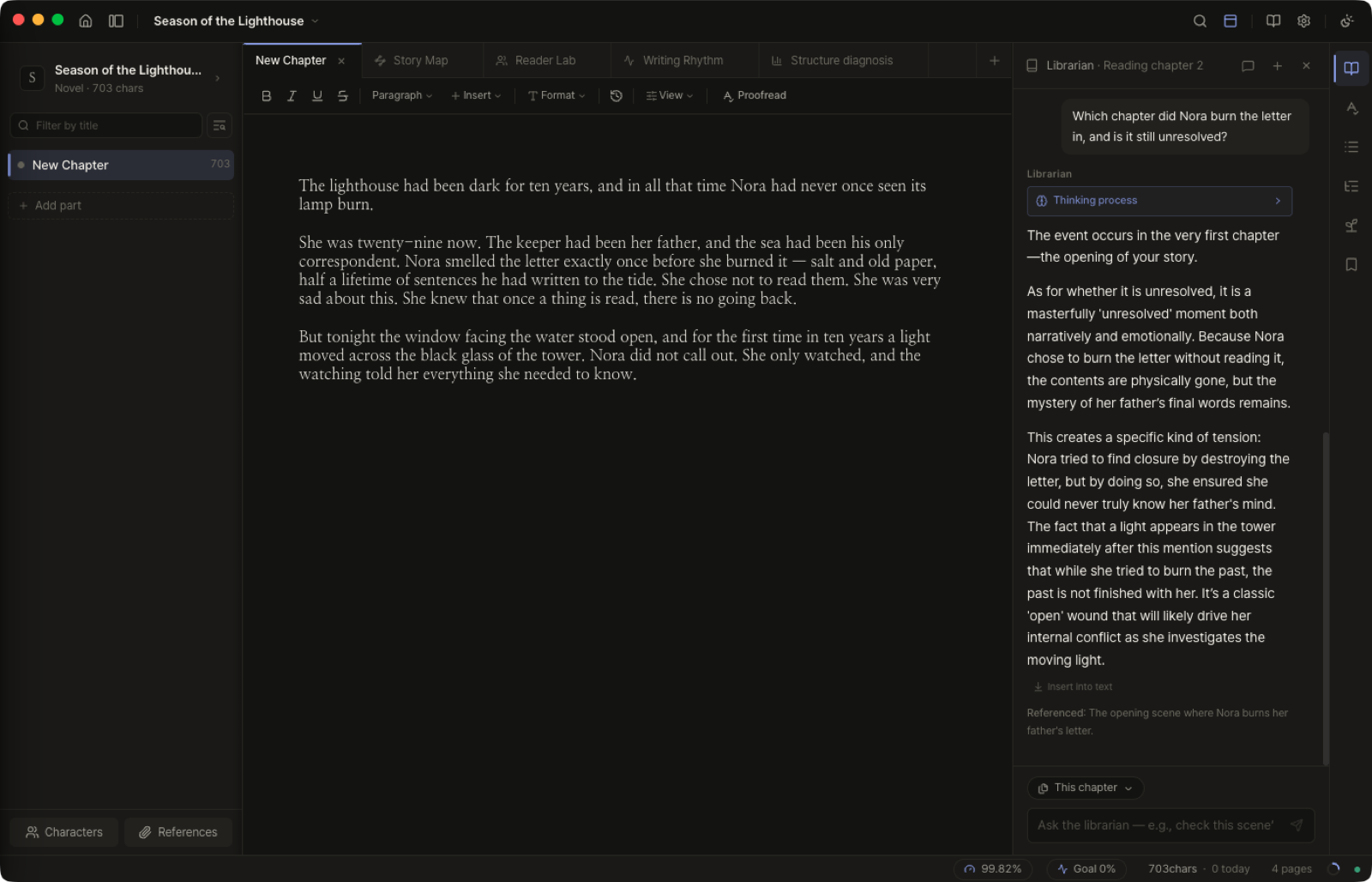
It reads a summary of the whole manuscript, the recent chapters in full, and — when the sentence you are writing calls for it — the earlier chapters it finds relevant. Then it suggests the next line in your voice and shows you which chapters it drew on. The suggestion stays gray until you press Tab. The pen never leaves your hand.
Included on every plan, Free included
- CONTEXT
- whole-manuscript summary + recent chapters in full
- RECALL
- finds the older chapters that matter, and names them
- GHOST
- ⌘⇧Enter to ask · Tab to accept · Esc to drop
- STYLE
- register a style profile and it holds your voice
- CHAT
- ask, plan, or have a passage rewritten
02 — CONTINUITY
The editor who read chapter 3 with you.
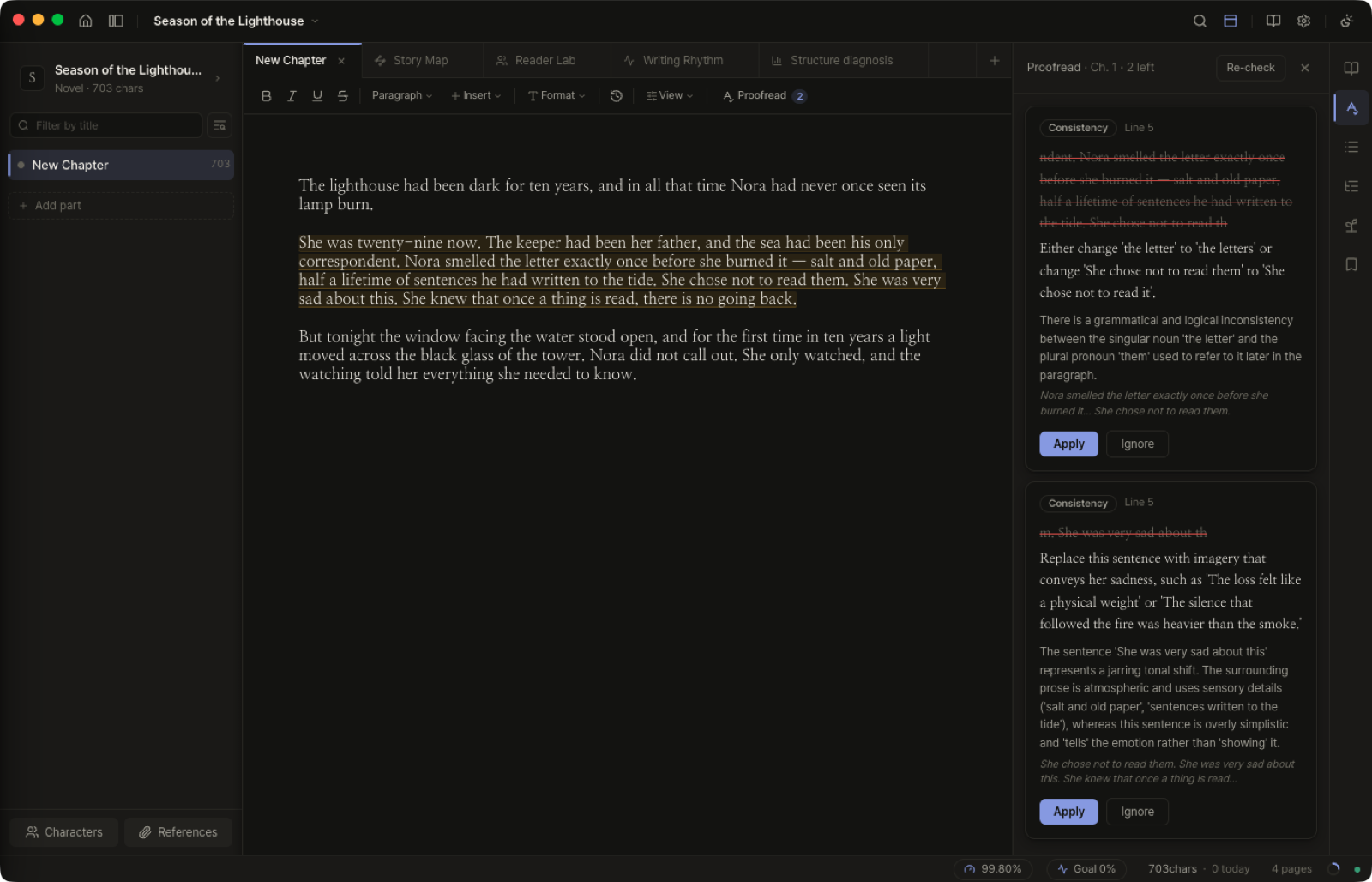
Checks a long draft for contradictions — timeline, place, character, plot logic, world rules, tone — and flags foreshadowing you never resolved. It never rewrites your prose.
Included on every plan, Free included
- SCOPE
- the current chapter against everything before it
- CHECKS
- timeline · place · character · plot logic · world rules · tone
- THREADS
- foreshadowing that was planted and never paid off
- SHOW
- told-not-shown emotion — switch on in settings
- VOICE
- findings only; your prose is left untouched
GROUP 02 — DESIGNING THE STRUCTURE
See the shape of the book.
A long novel stops fitting in one head somewhere around chapter twelve. These instruments draw what you are holding — and let you rearrange it.
03 — STORY MAP
Your draft, drawn three ways.
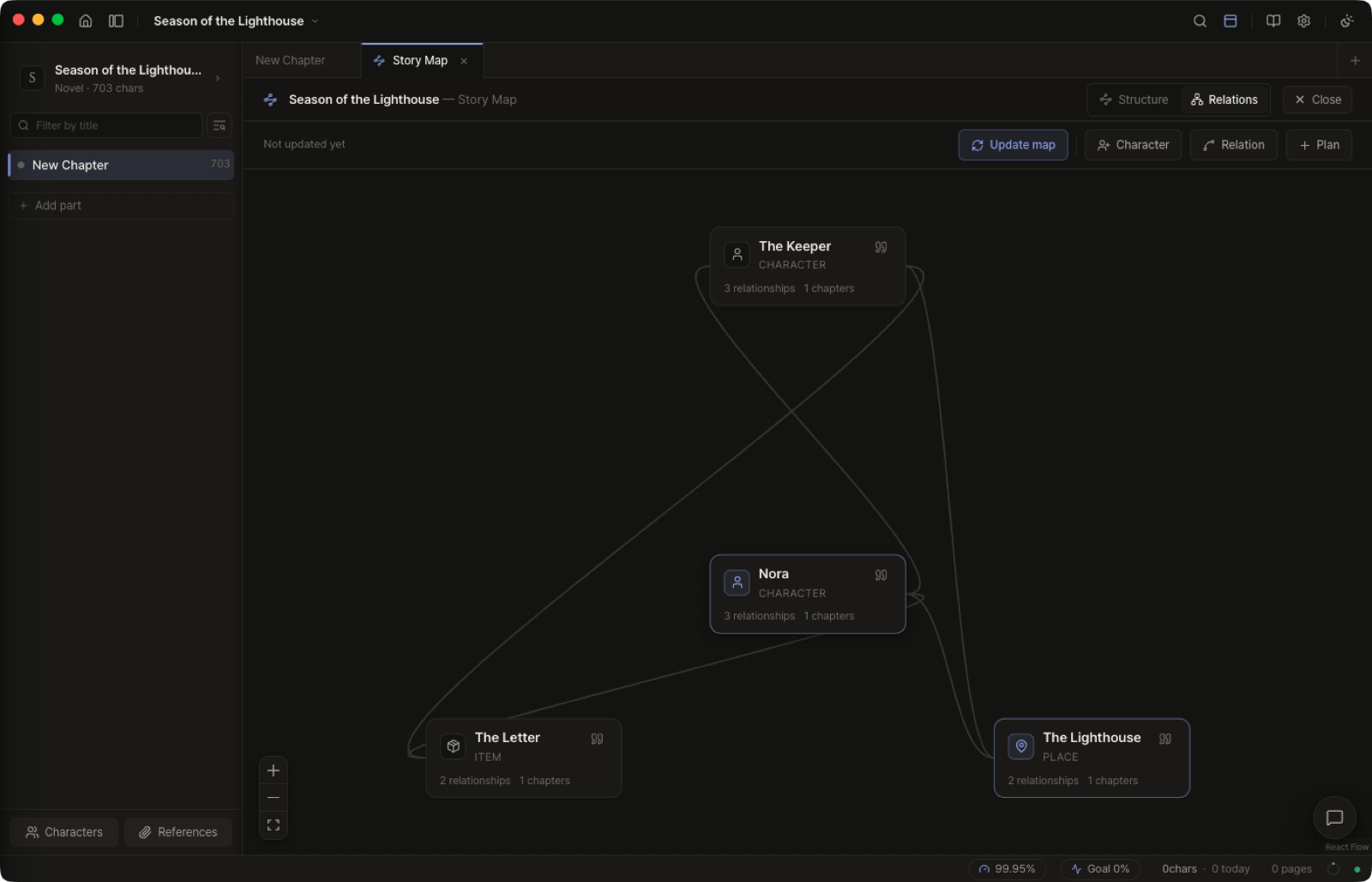
Your manuscript as a map: structure, character relations, and a timeline. The AI extracts what appears where; you can edit or hide any of it.
Reading and editing free · AI extraction on Standard and above
- LENSES
- structure · relations · timeline
- EXTRACT
- characters, places and ties pulled from the draft
- AUTHOR MODE
- build your own stages instead of the AI's
- PLAN LAYER
- what you have not written yet, as dotted nodes
- EDIT
- rename · hide · recolor · tag · reassign · delete
- DOCK
- the co-writer sits in the map and edits it with you
04 — PLOT ANALYSIS
The structure your draft actually has.
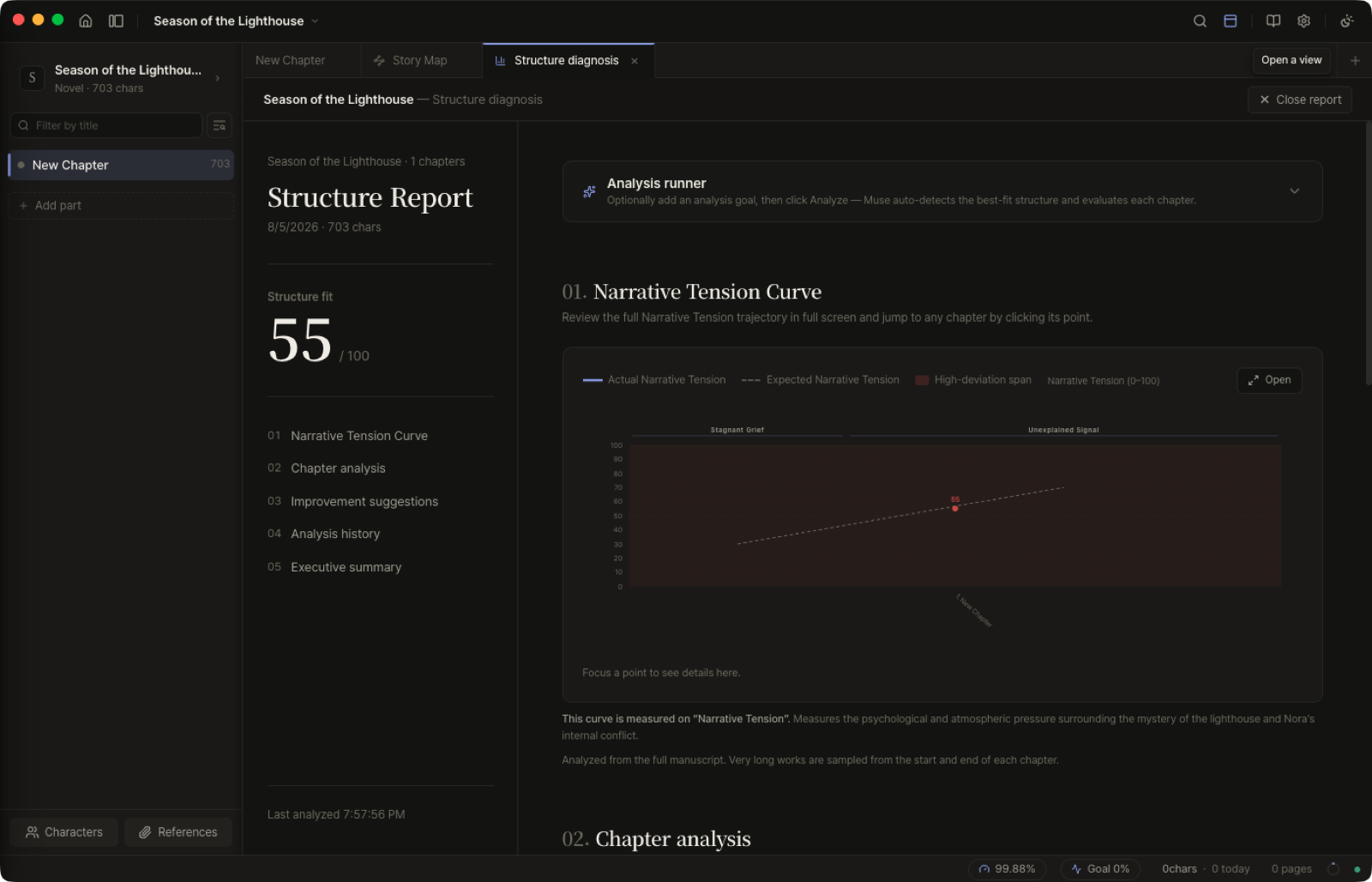
Frame induces the structure your draft actually has — not a preset — and charts tension chapter by chapter.
Standard and above
- FREE-FORM
- stages inferred from your draft, not from a template
- PRESETS
- or read it through one of five known structures
- CURVE
- tension per chapter · climax position · pacing gaps
- EVIDENCE
- quoted lines and a note for every chapter
- HISTORY
- past runs are kept, so drafts can be compared
GROUP 03 — READER RESPONSE
A first reading, before the first reader.
The one question a draft cannot answer on its own: how does this land on someone who has never seen it?
05 — READER LAB
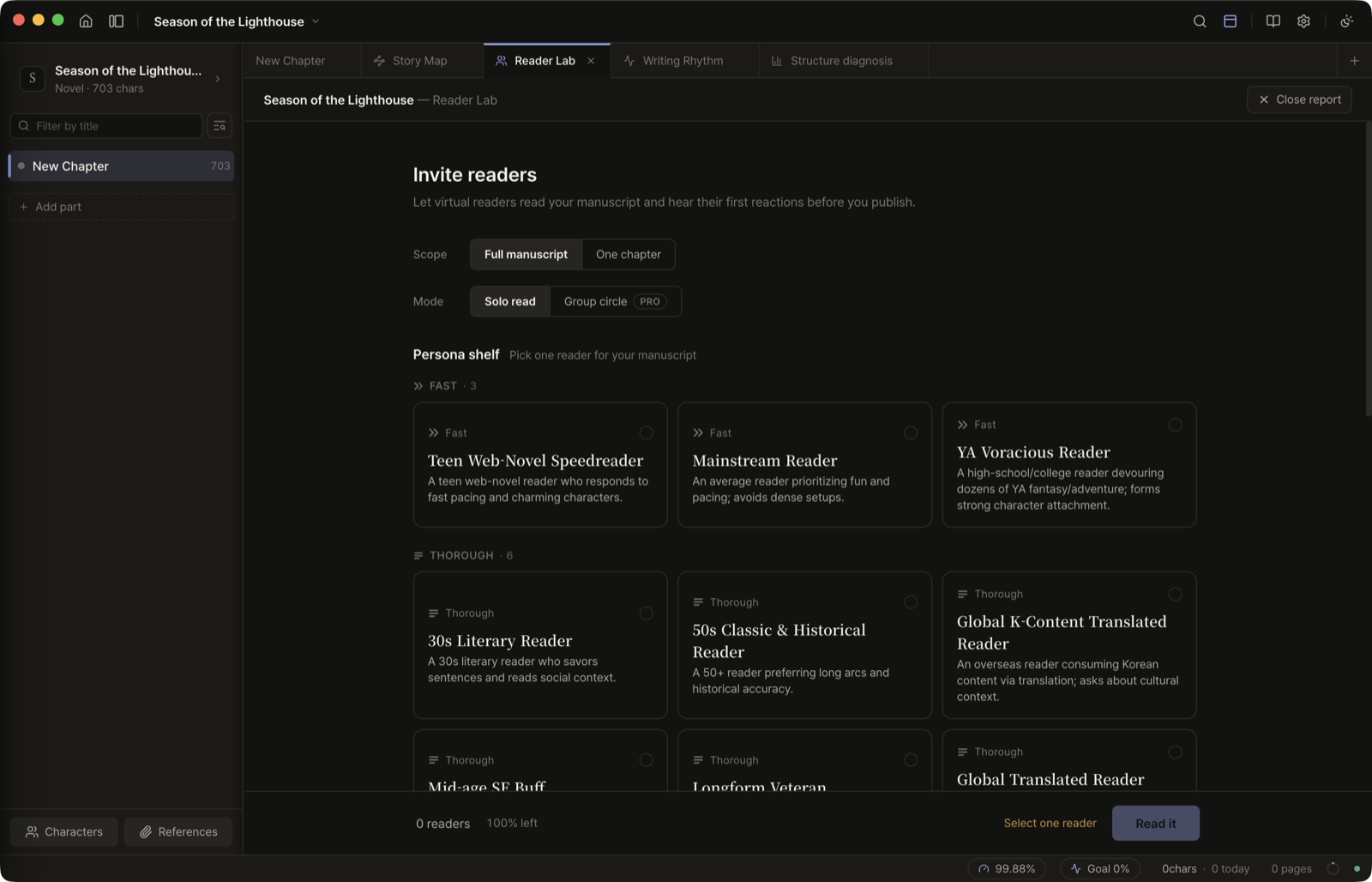
Eighteen readers, before the world.
Eighteen virtual readers read your draft before you publish and answer across seven axes, every score with a quoted line.
Single reader on Standard and above · group reading on Pro
- PERSONAS
- 18 readers — taste, age, reading habit
- AXES
- prose · plausibility · immersion · character · pacing · resonance · originality
- EVIDENCE
- every score quotes the line behind it
- SCOPE
- the whole draft, or a single chapter
- GROUP
- 3–10 readers at once, with averages and spread
GROUP 04 — THE WRITING ENVIRONMENT
The room you write in.
No AI in this group. Just the desk — how chapters open, how you read them back, how you find anything, and how the ink behaves.
06 — TYPING EFFECTS
The small pleasure of ink.
Two typing effects — Flame and Lightning — for the way each letter lands. Tune it, or turn it off.
- FLAME
- letters burn, then settle into ink
- LIGHTNING
- a charge runs through them as they form
- COLOR
- cyan · violet · gold · crimson
- TUNING
- lingering 3–10s · intensity · off
THE PROMISES
What stays true, whatever you use.
Not a fifth group of features — the conditions everything above runs under.
- ON YOUR DISK
- Your manuscript is written to a database on your own machine. Frame does not sync it anywhere.
- NO TRAINING
- Text sent for an AI request is processed and discarded. It is never used to train a model.
- OFFLINE
- Everything except the AI works with the network off.
- IMPORT
- Bring in TXT, Markdown or DOCX — Frame finds the chapter breaks and splits the manuscript for you. Or drop the file straight onto the sidebar.
- EXPORT
- TXT, DOCX and PDF; a folder of one text file per chapter; or the whole project as a .frame backup file.
- RECOVERY
- Deleted chapters wait 30 days in the trash. Snapshots and scheduled backups hold the older versions.